CoreLM

CoreLM

Local AI, Perfected

A fully native macOS application for running large language models locally. Dual inference engine architecture (Ollama + llama.cpp), one-click model downloads from Hugging Face, streaming chat with markdown rendering, and real-time system monitoring.
 macOS 14+ Apple Silicon Metal GPU v1.1.0
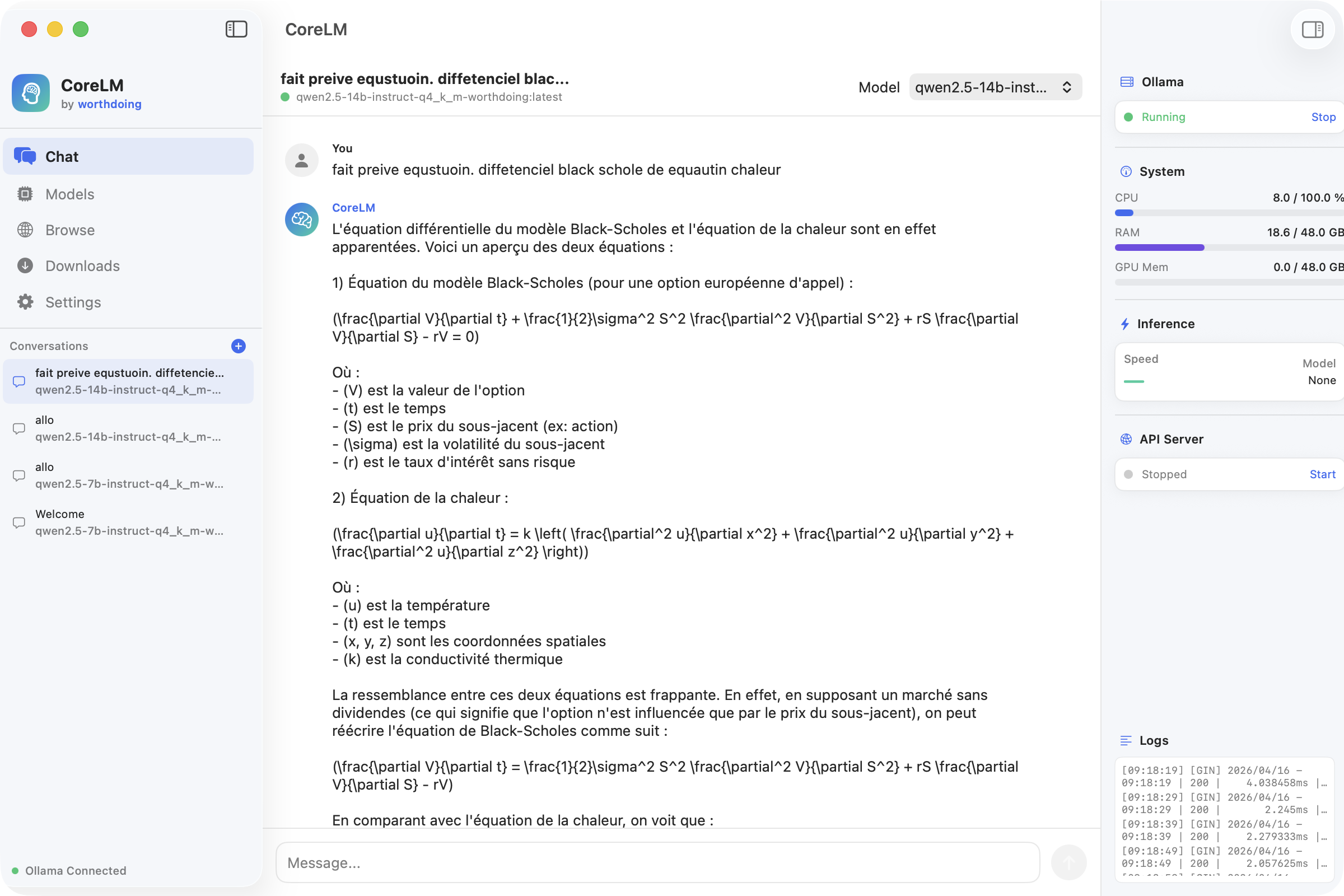
CoreLM — Chat Interface

Features

💬

Streaming Chat

Real-time streaming chat with markdown rendering, multi-turn conversations, code blocks, and system monitoring overlay.

Dual Inference Engine

Switch between Ollama and a built-in llama.cpp server. Maximum compatibility with any GGUF model format.

One-Click Downloads

Browse and download GGUF models directly from the worthdoing Hugging Face catalog. Multi-file download manager with progress tracking.

💻

Model Manager

Full local model management — import GGUF files, view model details, manage installed models, track disk space.

Metal GPU Acceleration

Leverages Apple Silicon's unified memory architecture and Metal GPU for maximum inference performance.

📈

System Monitoring

Real-time CPU, memory, and GPU usage during inference. See exactly how your Mac handles model workloads.

Screenshots

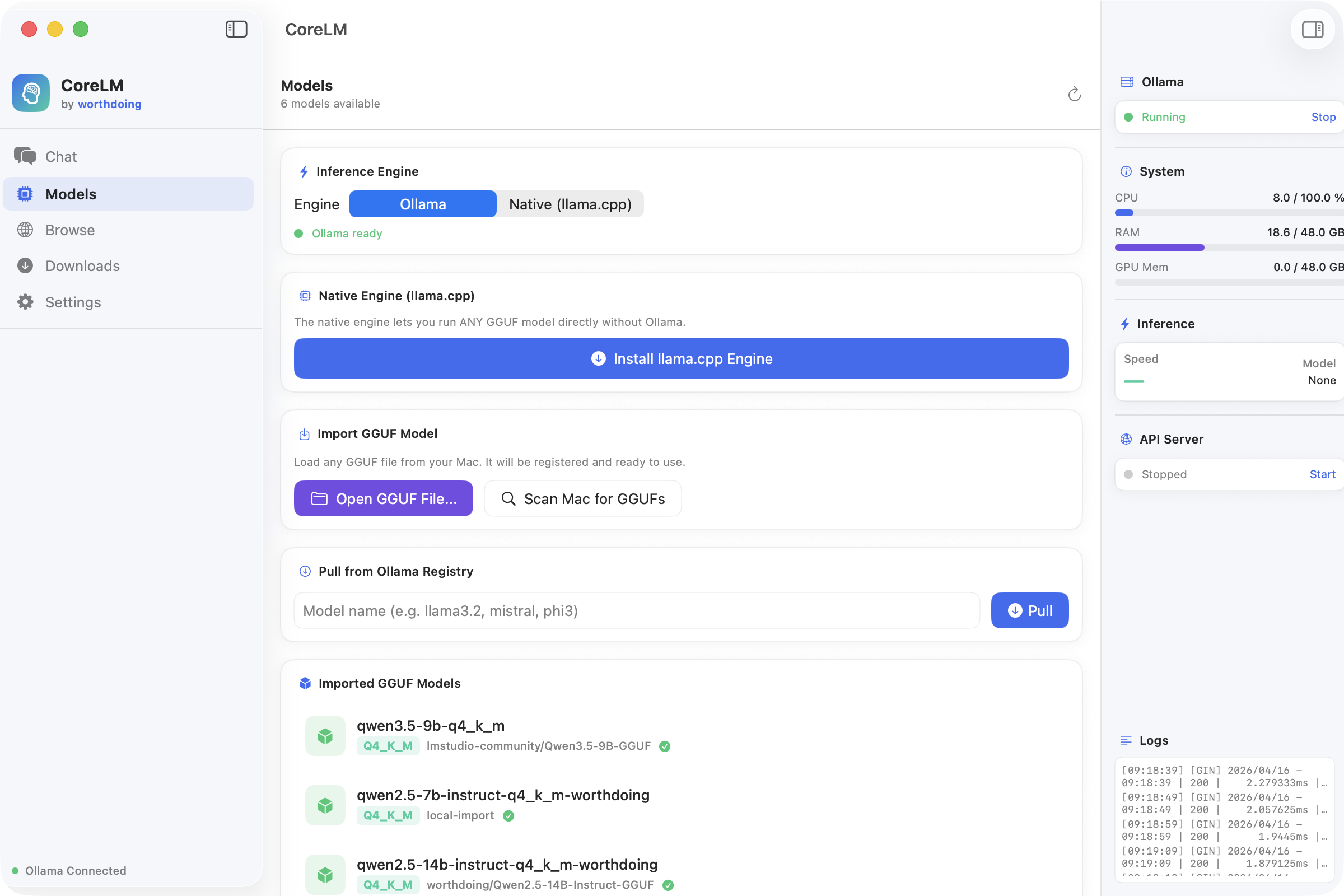
CoreLM — Model Manager
Dual inference engine (Ollama / llama.cpp), GGUF import, and local model management
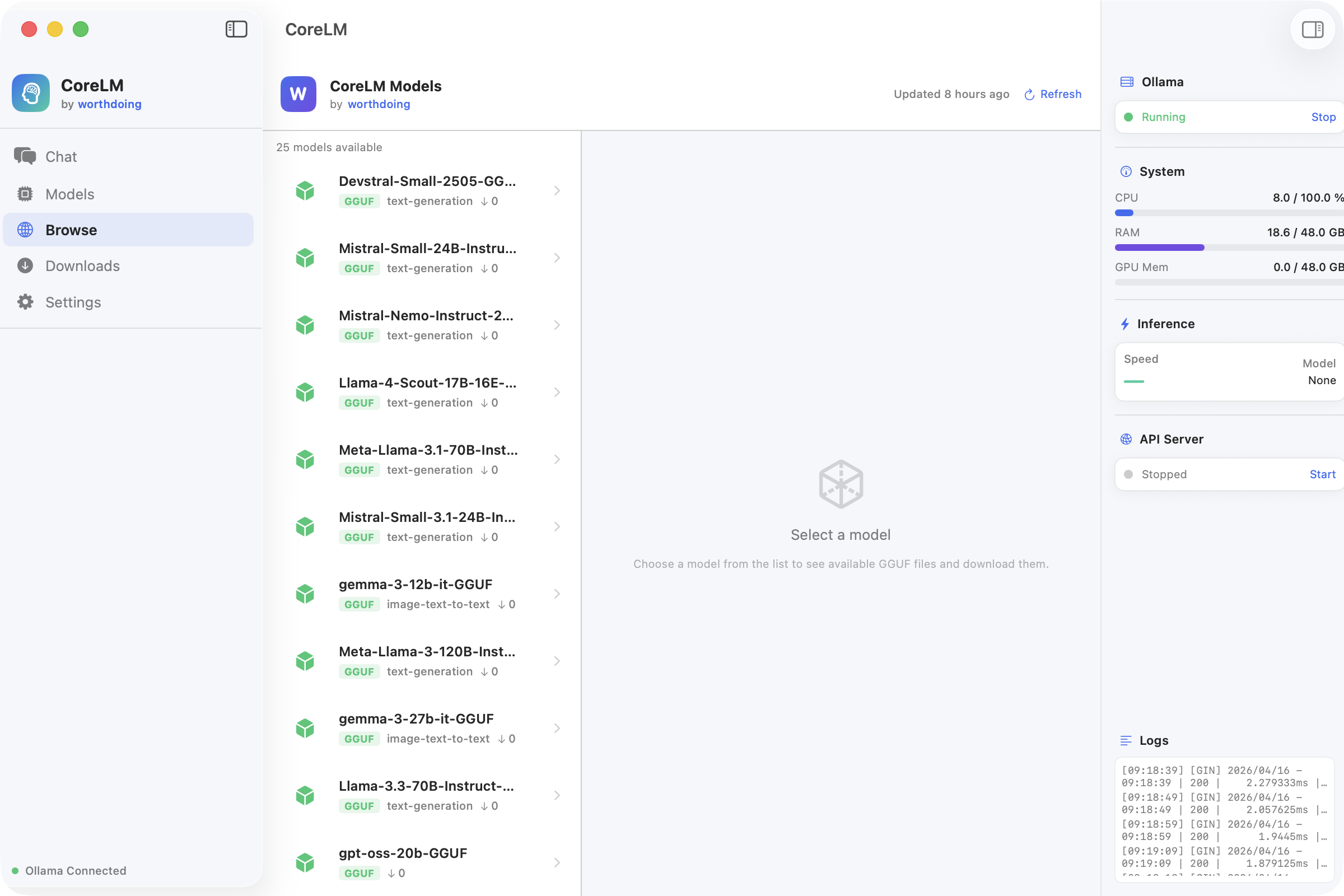
CoreLM — Model Browser
Browse and download GGUF models from Hugging Face
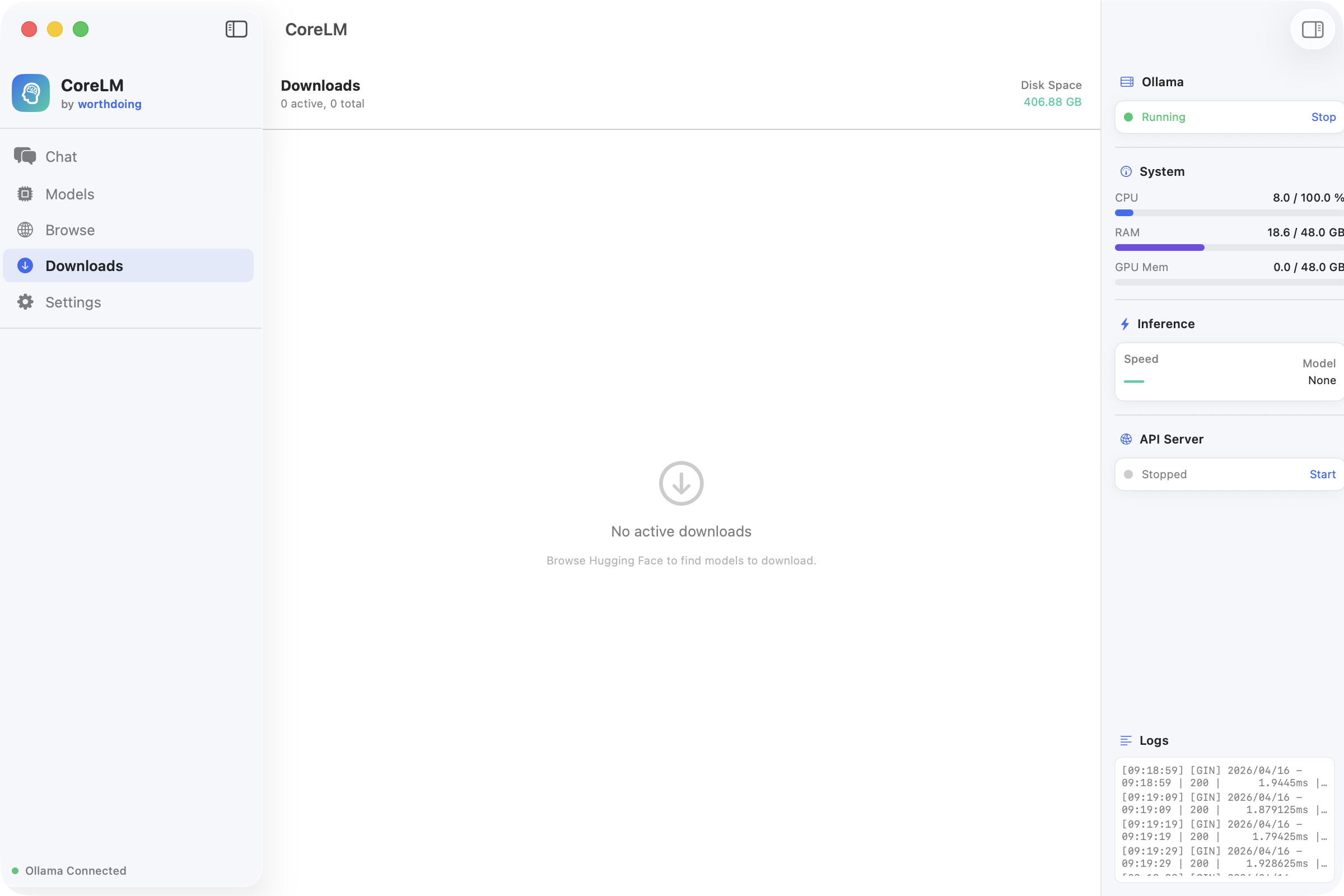
CoreLM — Downloads
Multi-file download manager with progress tracking
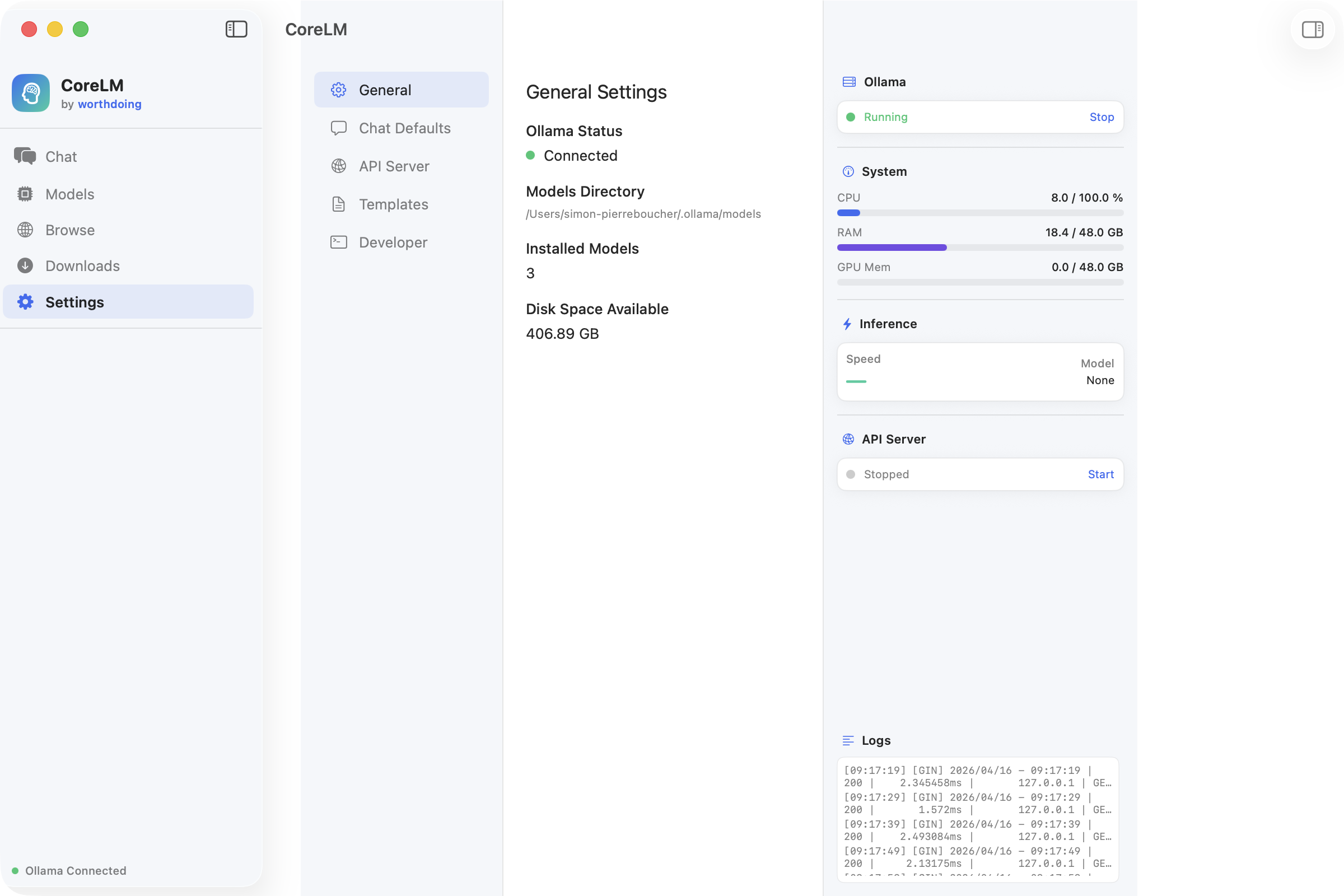
CoreLM — Settings
General settings, Ollama status, and system configuration

Installation

1

Download

Get CoreLM.dmg from GitHub Releases

2

Open DMG

Double-click the downloaded file

3

Drag to Apps

Move CoreLM.app to Applications

4

Launch

Open and start chatting locally

✓ Apple Notarized ✓ Code Signed ✓ macOS 14+ ✓ Apple Silicon

More Apps